
Download VSD Viewer – Fast, Secure Visio File Viewer for Windows, Mac, Android & iOS
Overview
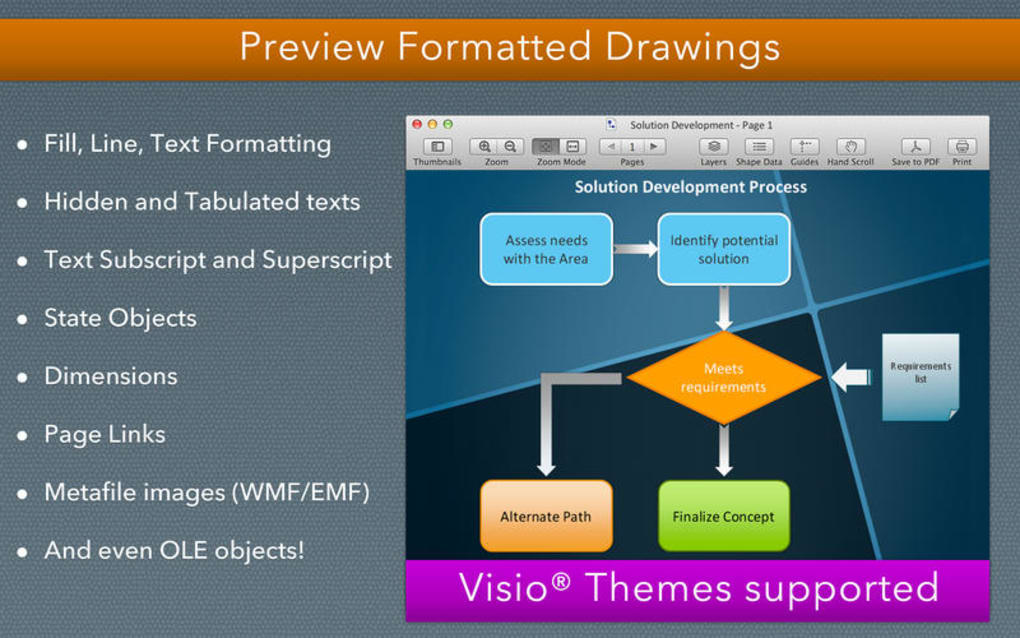
VSD Viewer is a premium productivity utility designed to let users open, view, and manage Microsoft Visio drawings on any device without the need for a full‑blown Visio license. Whether you receive a VSD, VDX, or the newer VSDX format, VSD Viewer translates the complex vector graphics, shape data, and multi‑page layouts into a clear, scroll‑able canvas that mirrors the original design intent. The application shines in its ability to render intricate diagrams that contain hidden objects, tabulated text, and embedded OLE elements, providing engineers, architects, and business analysts with a reliable reference tool on the go.
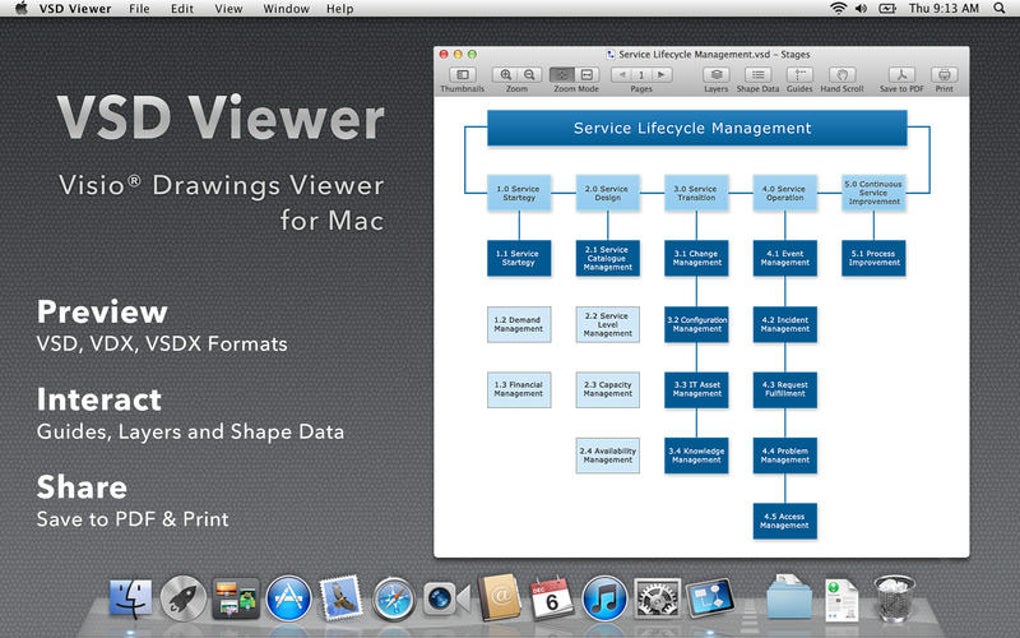
While the software does not currently support shadow rendering and has been reported to experience occasional crashes on low‑spec hardware, its core functionality—quick loading, smooth navigation, and PDF export—remains robust. The user interface follows a clean, modern aesthetic with a left‑hand navigation pane, zoom controls, and a dedicated Shape Data mode that surfaces the metadata attached to each Visio shape. For teams that need to review Visio schematics without editing rights, VSD Viewer offers a secure, offline‑first experience that respects file integrity while delivering fast, frill‑free access.
Key Features & Performance
- Supports native Visio formats: VSD, VDX, VSDX.
- Accurate rendering of complex illustrations, including hidden objects and embedded metafiles.
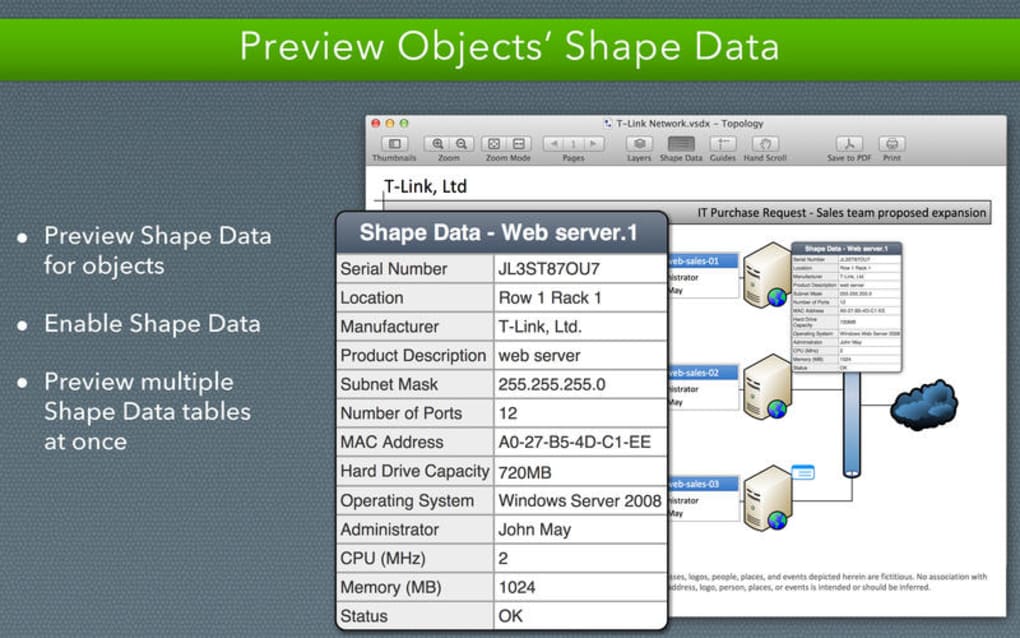
- Shape Data mode for inspecting object metadata without opening Visio.
- Multi‑page document navigation with thumbnail preview pane.
- Background page rendering for layered diagrams.
- Export to high‑resolution PDF for easy sharing.
- Cross‑platform availability on Windows, macOS, Android, and iOS.
- Offline access—no internet connection required after installation.
- Secure file handling; no data is uploaded to cloud servers.
- Regular updates that address compatibility and performance bugs.
From a performance perspective, VSD Viewer leverages hardware‑accelerated rendering on modern devices, allowing even large‑scale engineering schematics to open within seconds. The app employs a lazy‑loading strategy for multi‑page files, meaning only the visible pages are rendered at full resolution while off‑screen pages remain in a low‑memory state. This approach dramatically reduces RAM consumption on tablets and older laptops.
Additionally, the PDF export routine preserves vector fidelity, ensuring that the resulting document remains crisp when printed or zoomed in on any device. The Shape Data mode is especially valuable for project managers who need to verify attributes such as part numbers, revision dates, or custom tags without navigating through the full diagram. Although the lack of shadow display can affect visual fidelity for designs that rely heavily on 3D cues, the core diagram information remains intact and fully readable.
Users have reported that the occasional crash is most often triggered by extremely large files (over 200 MB) on devices with less than 2 GB of RAM; however, the development team has issued patches that improve memory management and stability in these edge cases.
Installation, Usage & Compatibility
Step‑by‑Step Installation
- Visit the official VSD Viewer download page and select the installer that matches your operating system.
- For Windows, run the
.exefile; macOS users will open the.dmgpackage and drag the app to the Applications folder. - Android users download the
.apkfrom the Google Play Store, while iOS users obtain the app via the App Store. - Follow the on‑screen wizard—accept the license agreement, choose an installation directory (default is recommended), and click “Install”.
- After installation, launch VSD Viewer and grant permission to access local storage so the app can locate Visio files on your device.
First‑Time Usage Tips
When you open VSD Viewer for the first time, you’ll be greeted with a welcome screen that offers a quick tutorial. Drag any Visio file onto the main window or use the “Open File” button in the top‑left corner. The left navigation pane displays page thumbnails; clicking a thumbnail jumps directly to that page.
Use the zoom slider or pinch‑to‑zoom gestures on touch devices for precise scaling. To view shape metadata, activate the “Shape Data” toggle located in the toolbar; clicking any shape will then reveal its associated data in a side panel. Exporting to PDF is as simple as selecting “File → Export → PDF”, choosing your export location, and confirming the file name.
The exported PDF retains vector layers, making it ideal for printing large‑format diagrams.
Operating System Compatibility
VSD Viewer is built to run natively on the following platforms:
- Windows 10, Windows 11 (64‑bit)
- macOS 10.15 Catalina and later (Intel & Apple Silicon)
- Android 7.0 (Nougat) and above
- iOS 13.0 and above (iPhone, iPad, iPod Touch)
Minimum system requirements include 1 GHz processor, 1 GB RAM (2 GB recommended for large files), and 100 MB of free disk space for the application itself. The app automatically checks for updates on launch and prompts you to install the latest version, ensuring you benefit from security patches and new format support as soon as they become available.
Pros & Cons
Advantages
- Broad format support: Handles VSD, VDX, and VSDX without conversion.
- Fast, responsive UI: Smooth navigation even on mid‑range devices.
- Shape Data access: View embedded metadata without opening Visio.
- Cross‑platform availability: Consistent experience on Windows, macOS, Android, and iOS.
- PDF export: Generates high‑quality PDFs preserving vector graphics.
- Offline‑first design: No internet required after download.
- Regular updates: Continuous improvement and bug fixes.
Drawbacks
- Shadows are not rendered, which can affect 3D visual cues.
- Occasional crashes on low‑spec hardware with very large files.
- No editing capabilities—viewer only.
- Free version is limited to a single file per session; premium license required for unlimited access.
- Initial startup may be slower on older Android devices.
Overall Rating: 4 out of 5 stars – VSD Viewer delivers reliable Visio viewing across platforms, though the lack of shadow rendering and occasional stability issues keep it from a perfect score.
FAQ & Conclusion
Can VSD Viewer open password‑protected Visio files?
Yes. When you open a protected file, VSD Viewer prompts you for the password. Once entered, the diagram renders normally, and you can still export to PDF.
Is there a free trial available?
A limited free version is available that allows you to view one file per session. For unlimited access, a one‑time premium license can be purchased directly within the app.
How does VSD Viewer handle large multi‑page diagrams?
The app uses lazy loading, rendering only the visible pages at full resolution. Background pages are displayed as low‑resolution placeholders until you navigate to them, which conserves memory and speeds up loading.
Can I export a Visio drawing with its shape data intact?
Exporting to PDF preserves the visual layout but does not embed shape data. To retain shape metadata, you must use the Shape Data view within VSD Viewer or export the file back to a Visio‑compatible format using a separate tool.
Is VSD Viewer safe for corporate environments?
Yes. The application does not transmit files to external servers, and all processing occurs locally. It also complies with common corporate security policies, making it suitable for confidential engineering diagrams.
In summary, VSD Viewer offers a robust, cross‑platform solution for anyone who needs to view Microsoft Visio files without the overhead of a full Visio installation. Its fast rendering engine, comprehensive format support, and handy Shape Data mode make it an essential tool for engineers, architects, and business analysts alike. While the missing shadow rendering and occasional stability hiccups are worth noting, the overall value—especially for teams that require secure, offline access—is compelling. If you’re looking for a reliable way to open, inspect, and share Visio diagrams on Windows, macOS, Android, or iOS, download VSD Viewer today and experience hassle‑free viewing.







